Give
How To Give
- Select your platform of choice (Zelle, PayPal, Google Pay, ...).
- Click on the 'Give' button and the QR code for each platform will be displayed.
- Additional information about giving is provided under each image. This includes phone number, email, and any other information needed to complete your donation.
Platform of Choice
Details

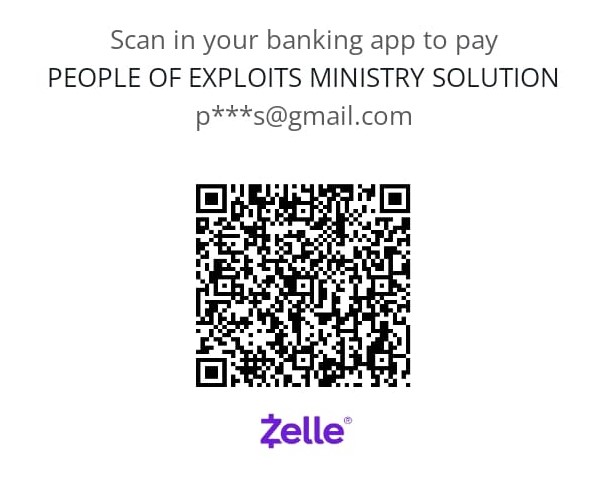
Zelle
Click on give button, Scan POEM Zelle QR code
Name: People of Exploits Ministry
email address: peopleofexploits@gmail.com


Google Pay: Coming soon
Click on give
Scan POEM GPay QR code
Make donation via GPay

PayPal
Click on give button, Scan POEM PayPal QR code.
Name: People of Exploits Ministry
email address: peopleofexploits@gmail.com


Cash App: Coming soon
Click on donate button
Scan POEM Cash App QR code
Make donation via Cash App